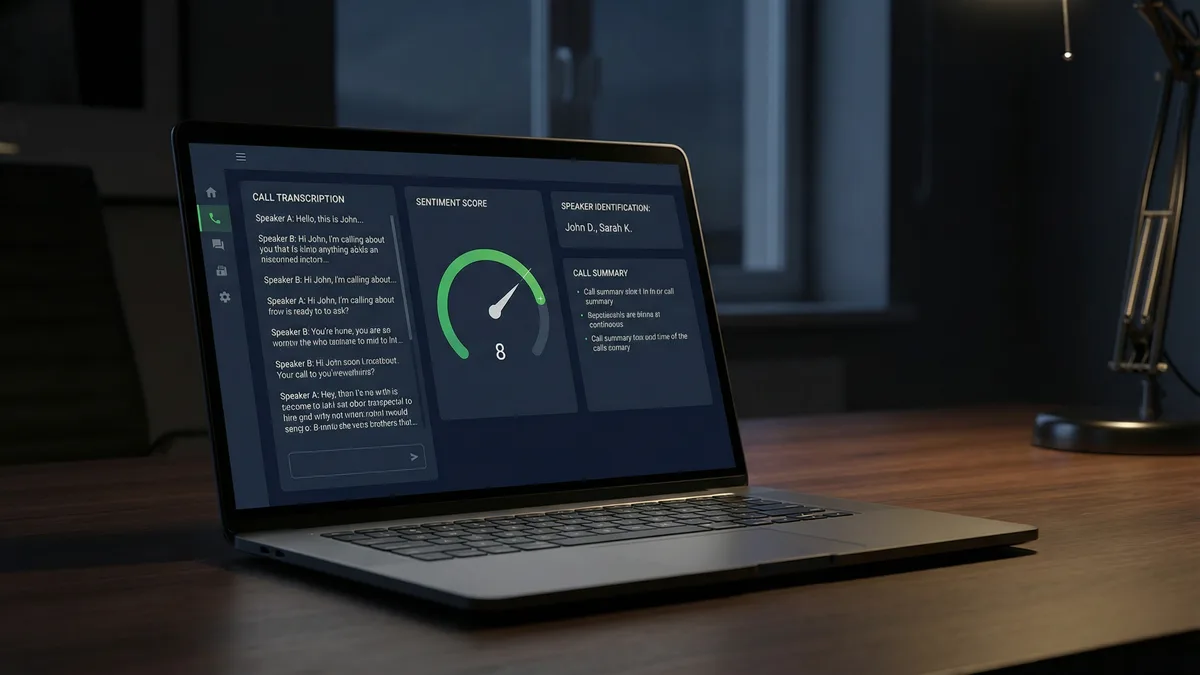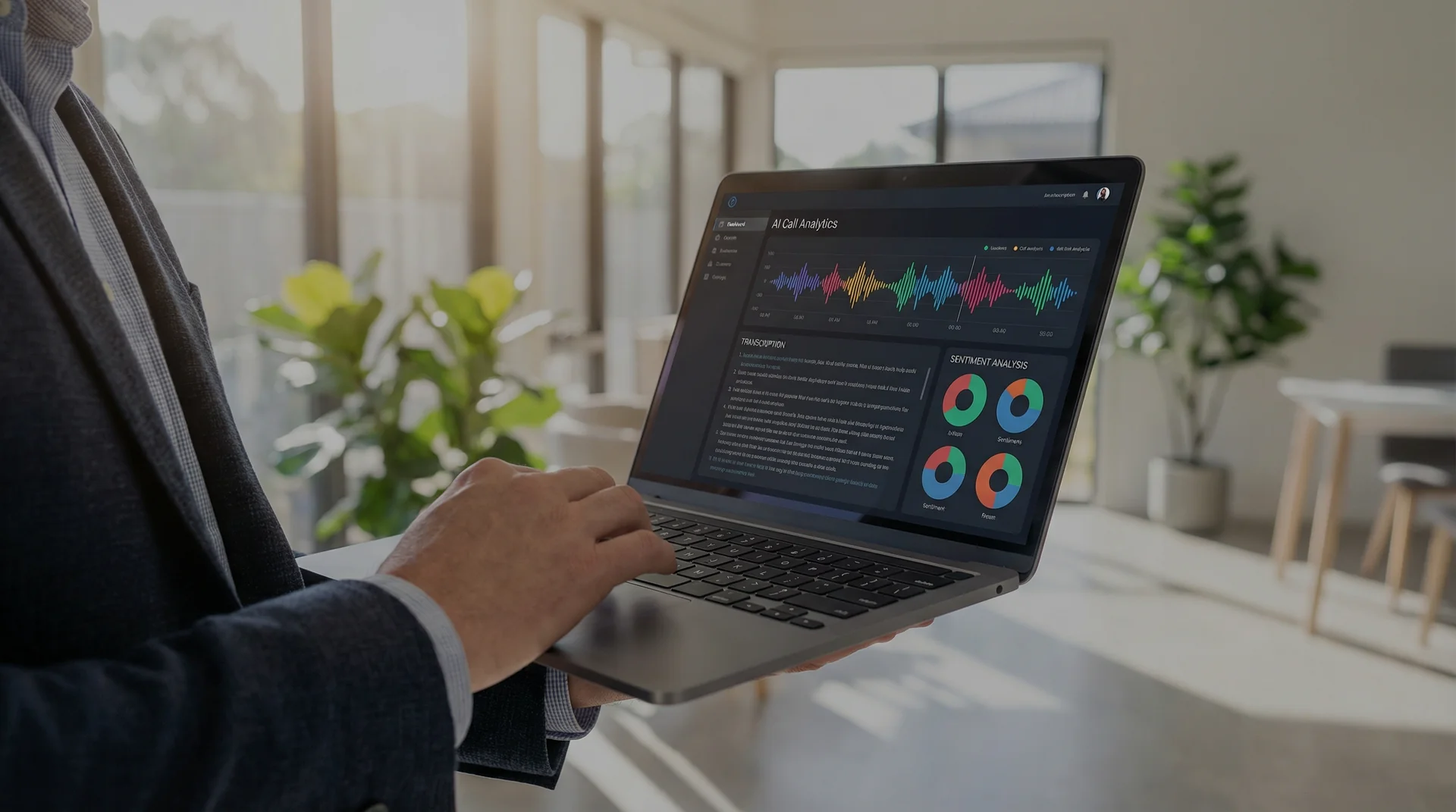
Stop re-listening to recordings. Click2Call automatically transcribes every call, writes you a plain-English summary, and shows you how the conversation went — all inside your portal. Free with every account.
Key Takeaways
Every time you finish a call, Click2Call's AI goes to work. It reads the recording, writes out everything that was said, and gives you a quick summary so you know exactly what happened — without having to listen back.
Each call gets a written transcript you can read and search, a mood score out of 10 so you can see if the call went well, a topic tag like "Callback Request" or "Customer Complaint" added automatically, and a 2-sentence summary so you can catch up in seconds instead of minutes.
There's more too. Set up an AI Receptionist to answer your phone and transfer callers automatically. Use AI Speech to create hold messages and greetings by just typing what you want said. And set up call alerts so you get an email if a call goes badly or a specific word gets mentioned.
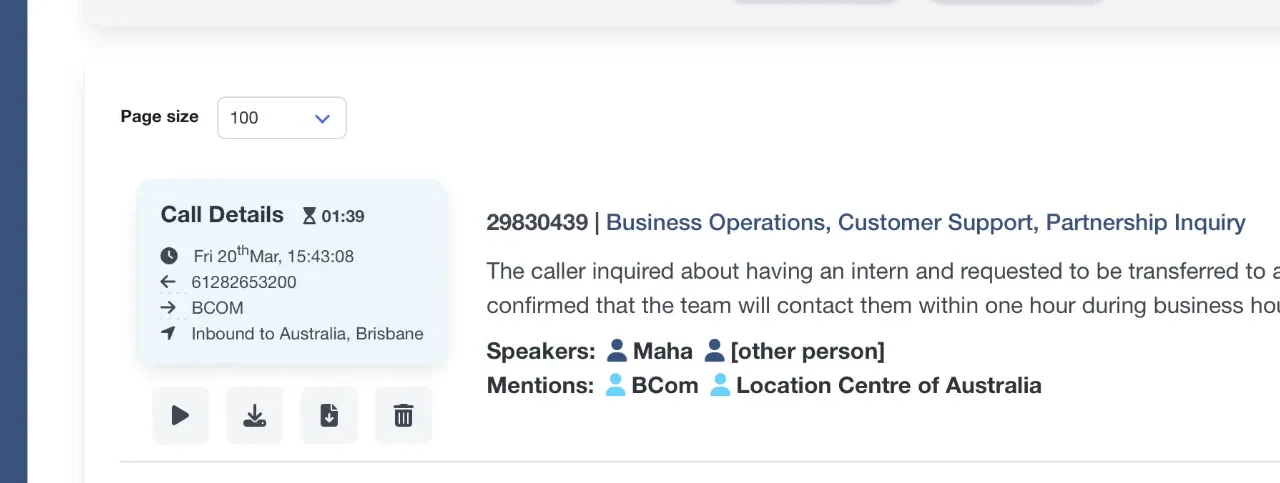
This is a real call record from the Click2Call portal. Every inbound and outbound call is automatically analysed and presented like this.
AI-Generated Summary
After every call you get a short plain-English summary — read it in 10 seconds instead of listening to the whole thing.
How Did the Call Go? (1–10)
The AI scores every call from 1 to 10 based on how it went. Low scores get your attention. High scores show what's working.
Speaker Identification
See who said what, and which names or businesses came up during the conversation.
Automatic Category Tagging
Calls are tagged by topic — such as Business Operations, Customer Support, or Partnership Inquiry — without any manual input.
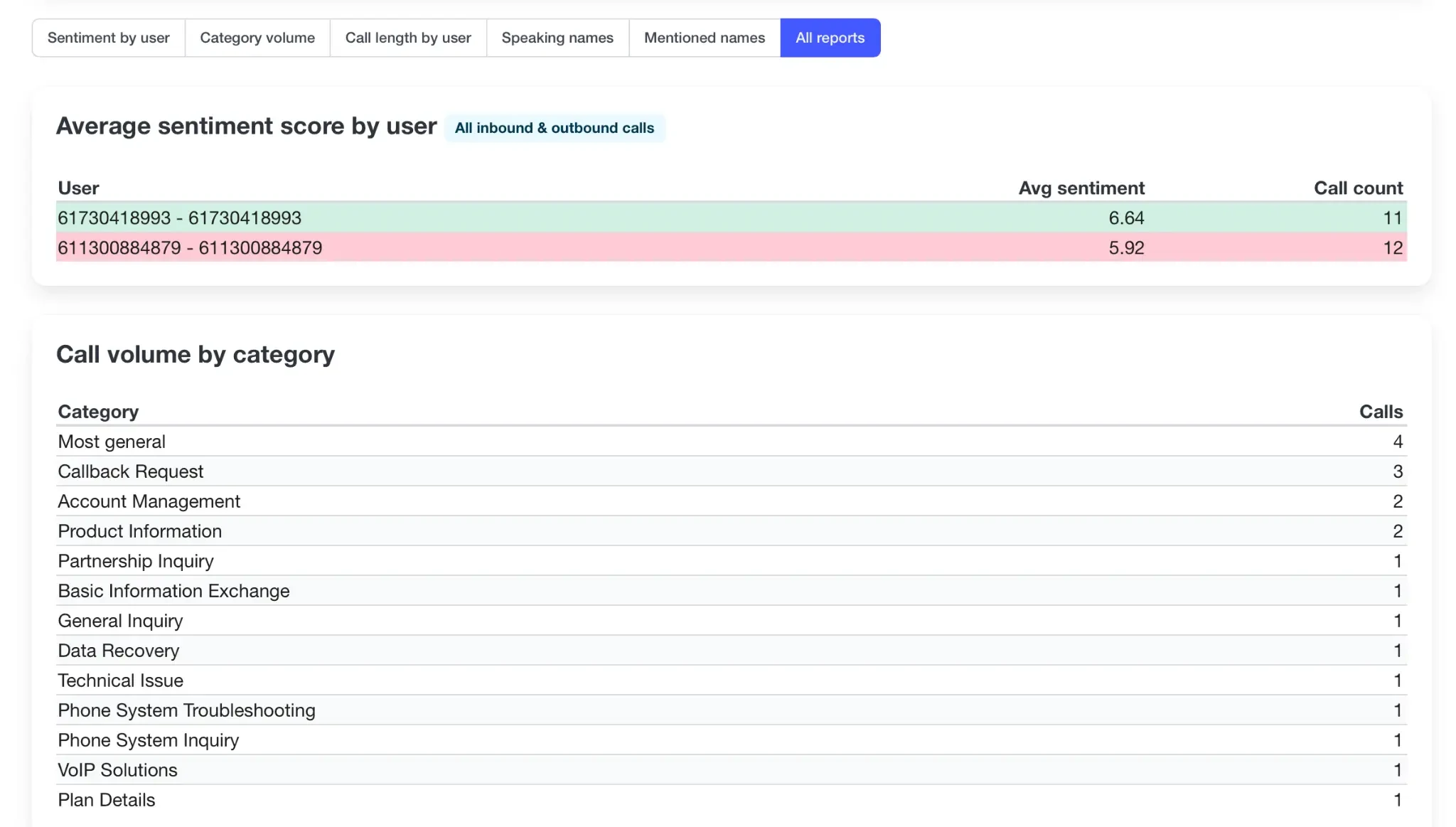
The reports dashboard shows you exactly how your calls are going — for your whole team or per person. See who's having the best conversations, what customers are calling about most, and how long calls are running.
If one person's scores are consistently low, that's a conversation worth having. If the same topic keeps coming up in calls, that's something to look into. Export everything to a spreadsheet when you need it.
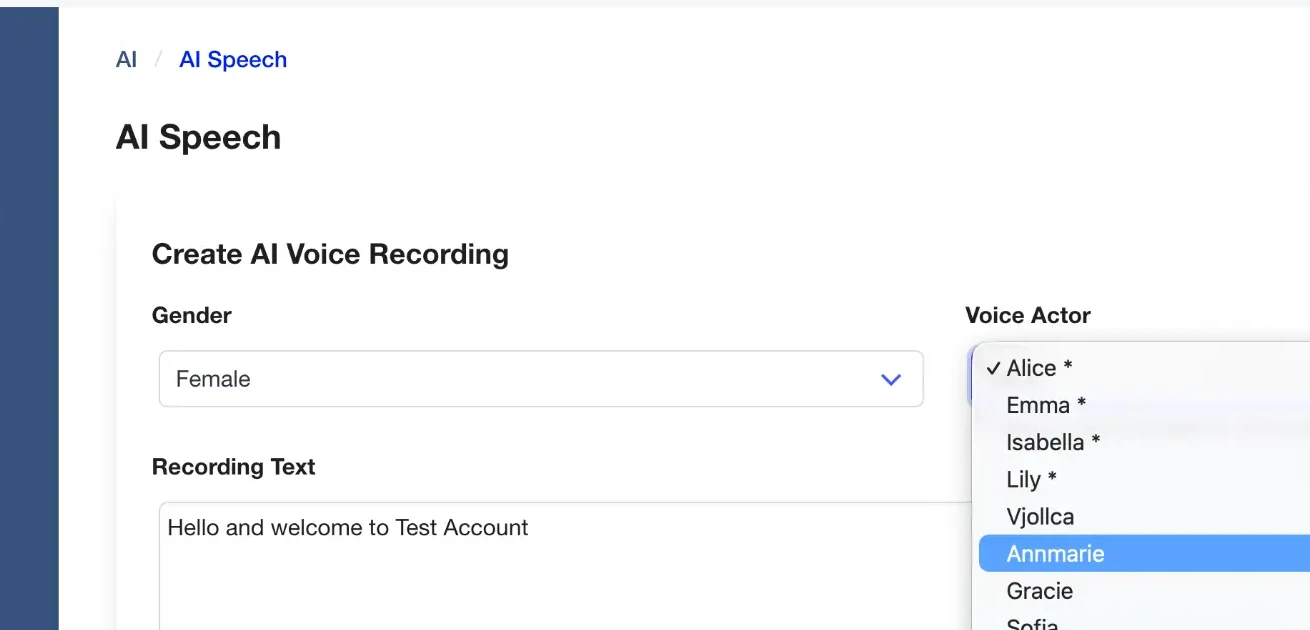
Type what you want your phone to say — your hold message, voicemail greeting, or welcome announcement — choose a voice, and click Generate. Done. No recording booth, no voice talent, no waiting.
Choose from voices including Alice, Emma, Isabella, Lily, Annmarie, Gracie, Sofia, Asya and more — male and female options available. Use commas and full stops in your text to add natural pauses.
Perfect if you're setting up a new phone system and want it to sound professional from day one — or if you update your messages regularly and don't want to re-record every time.
The AI Receptionist picks up your phone, asks the caller what they need, and transfers them to the right person — automatically. It works 24/7, so customers always get answered even when you're busy, with a client, or after hours.
Setup takes about 10 minutes. Write a greeting, pick a voice, and describe your departments — like "Sales", "Support", or "Accounts". When someone calls and says what they need, the AI knows where to send them.
Always On
Runs 24/7 by default. Set it to business hours only if you prefer.
Your Choice of Voice
Pick from a range of male and female voices so it sounds like your brand.
Callers Get to the Right Person
No pressing 1 for sales, 2 for support. The caller says what they need and the AI figures it out.
Allow Transfers to User Extensions
Optionally allow the AI to transfer callers directly to individual staff extensions when identified.
AI Voicemail gives every person on your team a personalised greeting — without anyone having to record anything. Type the message once and it automatically uses each person's name for their extension. Set separate messages for when a line is busy or unavailable.
Voicemails are also transcribed automatically so you can read them instead of listening back — and search across all messages by keyword.
Get an email alert the moment a call goes wrong. Set it up to notify you when a specific word or phrase is mentioned, when a call scores below a certain level, or when the AI detects a problem. You set the rules — the AI watches every call so you don't have to.
Great for trades businesses, real estate offices, and anyone who can't listen back to every call but still wants to know when something important happens.
Every call recording and AI-generated transcript can be delivered straight to your email inbox the moment a call ends — no portal login required. You receive the audio file, the full text transcript, and the AI call summary in a single email, ready to forward to a colleague, attach to a support ticket, or paste into your CRM.
For businesses that use workflow automation tools such as Zapier, Make, or a custom CRM, Click2Call's webhook integration pushes the recording link, transcript text, and sentiment score to your system automatically. Your call data flows into your existing workflows without any manual steps — making it straightforward to log every conversation against a customer record, trigger follow-up tasks, or feed transcripts into an AI pipeline for further analysis.
The Free tier is built into your account from day one — no setup needed. Upgrade to Premium if you want the sharpest accuracy and the ability to go back through old recordings.
| Feature | Free | Premium |
|---|---|---|
| Call Transcriptions | ||
| Sentiment Analysis | ||
| Transcription Summaries | ||
| Profanity Analysis | ||
| Auto Language Translation | ||
| Voicemail Transcriptions | ||
| Speaker Diarisation | ||
| Most Accurate Model | ||
| Priority Processing | ||
| Historical Recording Transcriptions | ||
| Included | Upgrade Now |
Whatever you do, the AI works in the background — automatic, no training required.
Automatically transcribe client calls for accurate record-keeping and billable hours. Search transcripts for key details instead of re-listening to hours of audio.
Analyse call sentiment to understand customer satisfaction. Detect trends in product-related queries to identify issues or opportunities before they escalate.
Transcribe patient calls to capture details accurately for appointment booking and record updates, improving admin efficiency and reducing errors.
Use call summaries to quickly capture job details and client requests while on the go, ensuring nothing is missed between the call and the job sheet.
Track enquiry levels for specific properties by detecting keyword mentions. Analyse sentiment to gauge buyer and seller interest and urgency.
Quickly screen candidates by reviewing call transcripts and summaries, ensuring consistent evaluation and saving hours of interview review time.
Transcription Accuracy
Tuned for Australian accents — not just American English.
Less Time on Call Reviews
Read a 2-sentence AI summary instead of listening to the full recording.
Call Coverage
Every single call — not just the ones you remember to check.
Click2Call offers a full suite of AI tools built into the portal: call transcription, AI-generated call summaries, sentiment analysis, profanity analysis, auto language translation, voicemail transcription, AI Speech (text-to-voice with multiple voice actors), AI Receptionist (automated call answering and routing), AI Agents, AI Chat, AI Voicemail, and Transcription Alerts. A Free tier is included with every Cloud PBX plan, and a Premium tier unlocks additional capabilities.
The Free tier includes call transcriptions, sentiment analysis, transcription summaries, profanity analysis, auto language translation, and voicemail transcriptions — all at no extra cost. The Premium tier adds speaker diarisation (identifying individual speakers by name), the most accurate transcription model, priority processing, and the ability to transcribe historical recordings retroactively.
The AI Receptionist handles incoming calls by greeting the caller, understanding their request using voice recognition, and routing them to the appropriate department or extension. You configure a welcome message, choose an AI voice actor, set timeout and retry behaviour, and define which lines connect directly to the receptionist. It operates at all times and requires no human involvement.
AI Speech lets you generate professional voice recordings directly from text. You type your message, choose a gender and voice actor (options include Alice, Emma, Isabella, Lily, Annmarie, Gracie, Sofia, and more), and click Generate AI Voice. The recording can then be used as a hold message, voicemail greeting, or IVR prompt — no recording studio required.
When a call is recorded, the audio is automatically processed by Click2Call's AI engine. It converts speech to text, identifies speakers, applies punctuation, and generates a searchable transcript. The system also produces an AI summary, tags the call with a category (such as Callback Request or Account Management), and scores the sentiment on a scale of 1 to 10. All of this happens automatically after the call ends.
No. All AI voice tools are cloud-based software features built into the Click2Call portal. They work with your existing Cloud PBX service and require no additional phones, servers, or on-premise hardware.
Call recording laws vary by state in Australia. Generally, you must notify all parties that the call is being recorded. Click2Call allows you to play an automatic notification message at the start of each call to help with compliance. We strongly recommend seeking independent legal advice to ensure you meet all your obligations.
Yes. Click2Call accounts are free to create with no credit card required. The Free AI tier is included automatically with every account. You can sign up at portal.click2call.com.au/join and start using the AI tools immediately.
Yes. All transcripts are fully searchable from the Click2Call portal. Search by keyword, date, user, or call category to find specific conversations without listening to recordings.
Transcription Alerts send you an email when the AI detects something specific in a call — like a keyword being mentioned, a call scoring below a level you set, or a problem being flagged. You choose the rules and who gets notified.
Click2Call's AI runs on Australian-hosted infrastructure. Your call recordings and transcripts are only accessible to authorised users in your account. We don't sell or share your call data with anyone.
Laws vary by state but generally you need to notify all parties a call is being recorded. Click2Call lets you set an automatic message at the start of each call to cover this. We recommend getting legal advice to confirm your obligations in your state.
Have more questions? Contact our support team for help with setup and configuration.
Sign up, make a call, and see your first transcript and summary appear in your portal. Takes about 5 minutes to get started.
Get Started Free