
How to Add a Phone Number
Add a new Australian phone number to your Click2Call account. Choose between a Cloud PBX line (full PBX features including Auto Attendant) or a Inbound Business Number line (basic inbound/outbound). Numbers are available in all major Australian cities including Sydney, Melbourne, Brisbane, Perth, Adelaide and more.
Before you begin
- You must be logged in to the Click2Call portal as an account administrator.
- Ensure your account has sufficient credit — a pro-rata charge applies for the current billing period.
- A Inbound Business Number costs $10.00/month ex GST. An Inbound Business Number costs $10.00/month ex GST.
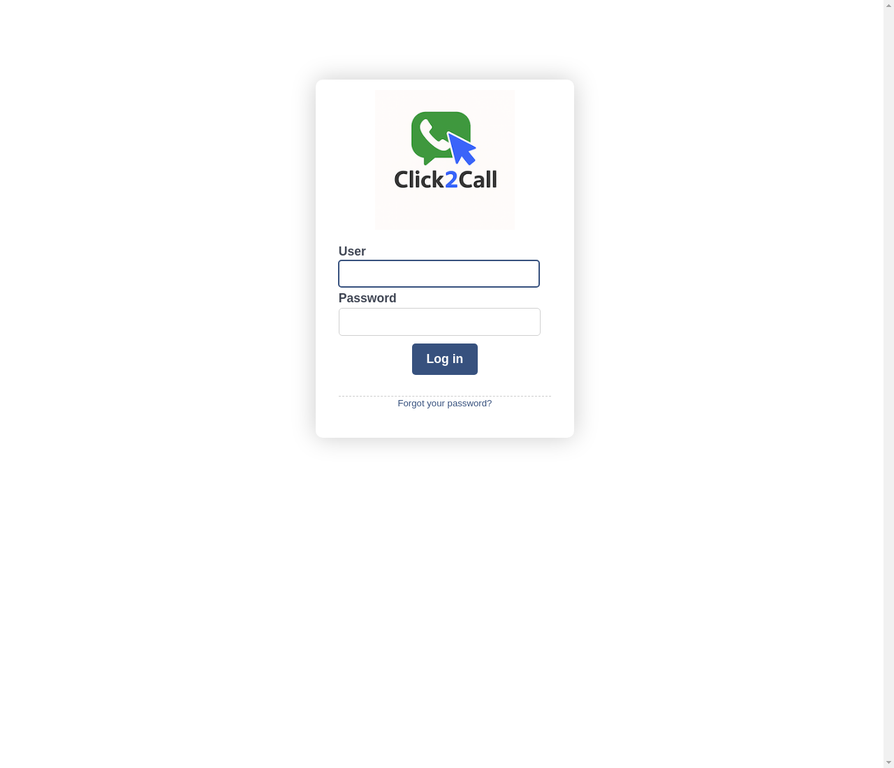
Log in to the Click2Call portal
Go to portal.click2call.com.au and sign in with your administrator email and password.
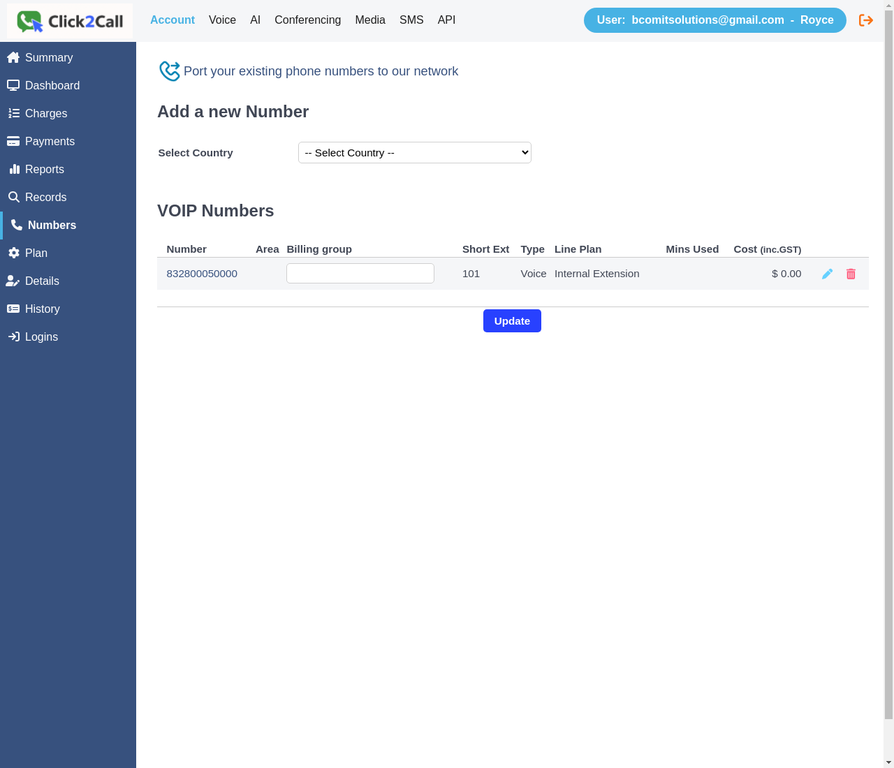
Navigate to Account → Numbers
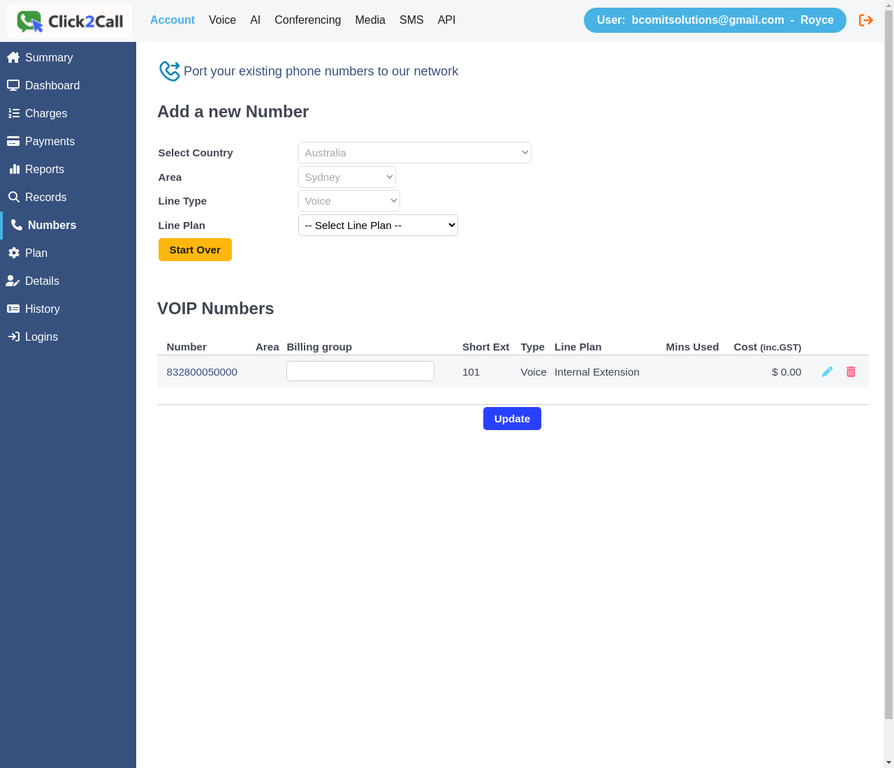
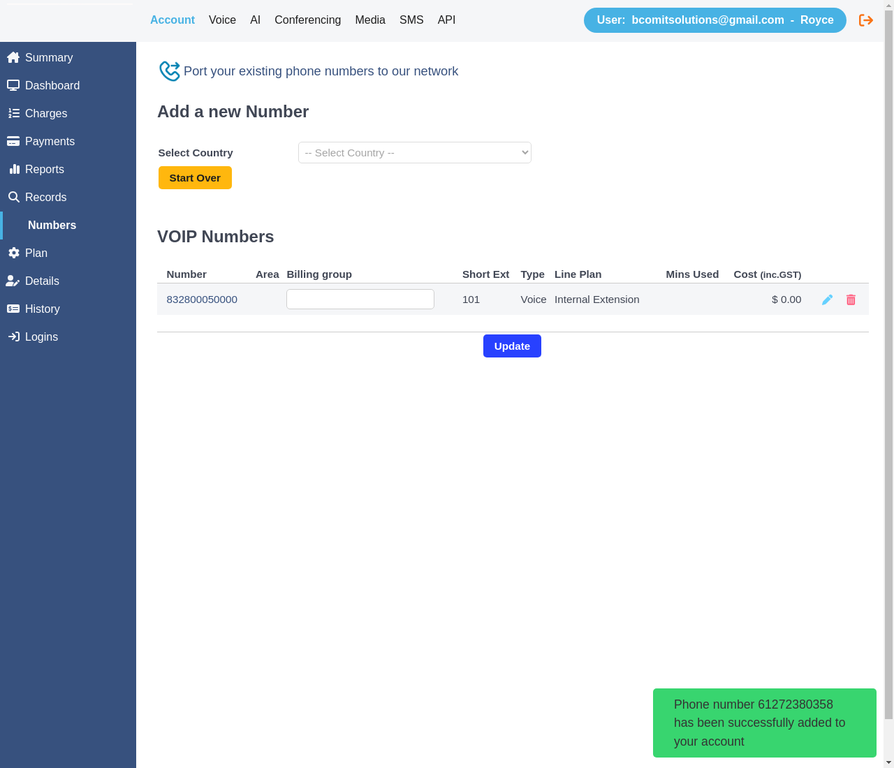
From the top navigation bar, click Account, then select Numbers from the left sidebar. This page shows all your current VOIP numbers and the Add a new Number form at the top.
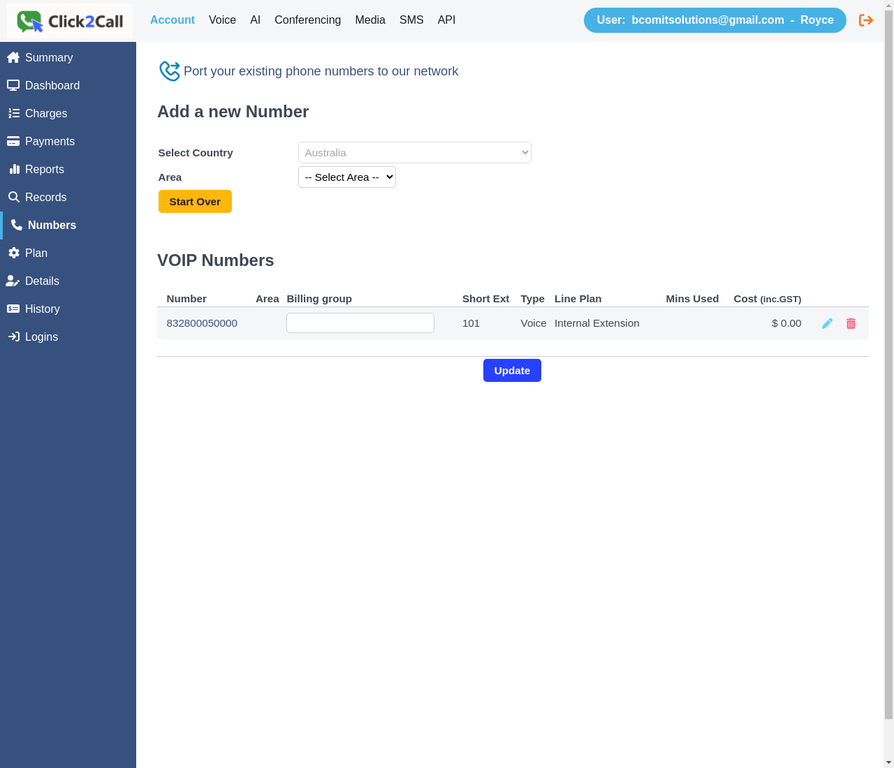
Select Country: Australia
In the Select Country dropdown, choose Australia. The Area dropdown will appear automatically, showing all available Australian cities.
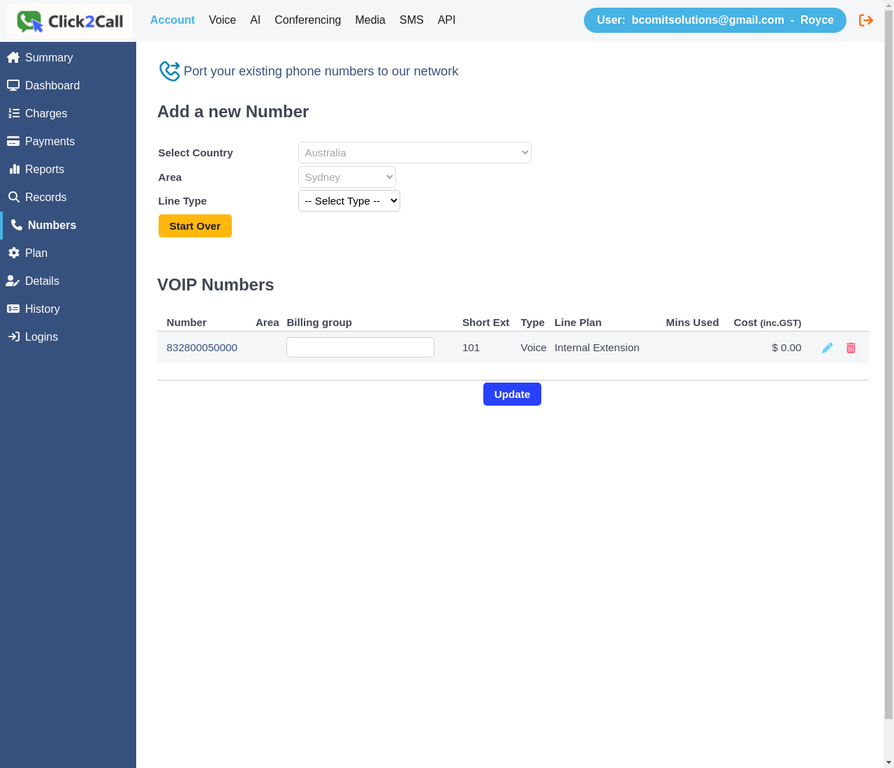
Select your Area
Choose the city area for your new number. Available areas include Sydney, Melbourne, Brisbane, Perth, Adelaide, Canberra, Hobart and more. In this example we are selecting Sydney to get a 02 number.
Select Line Type: Voice
Choose the Line Type for your number. For a standard inbound/outbound phone number, select Voice. Other options include Faxmail, Web Conference, and Microsoft Teams.
Select Line Plan
Choose the billing plan for your number. Two options are available:
| Plan | Monthly Cost | Best for |
|---|---|---|
| Inbound Business Number | $10.00+ / month | Inbound-only or basic voice line |
| Inbound Business Number | $10.00+ / month | Full inbound & outbound PBX line. Required for Auto Attendant (IVR) features. |
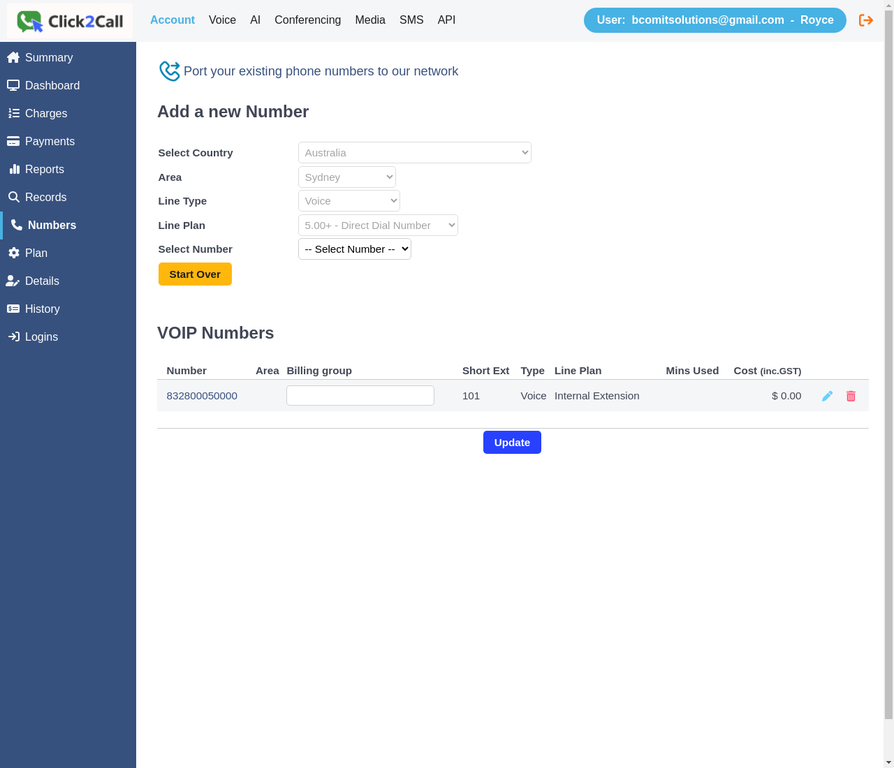
Select your phone number
A list of available numbers for your selected area will appear in the Select Number dropdown. Choose the number you want — in this example we are selecting 02 7238 0358 (displayed as 61272380358 in international format).
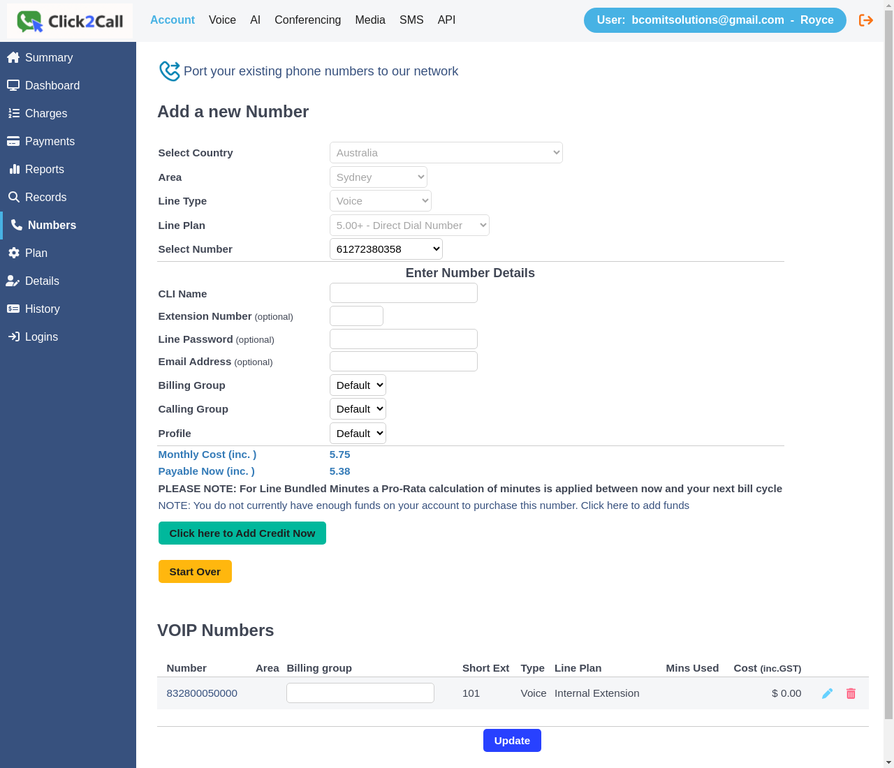
Enter number details and confirm
The Enter Number Details section will appear. Fill in the optional fields as needed, then review the monthly cost and click Add Number to my Account.
| Field | Required? | Description |
|---|---|---|
| CLI Name | Optional | The name shown on outbound caller ID (e.g. "Acme Support") |
| Extension Number | Optional | Assign this number directly to an extension |
| Line Password | Optional | SIP authentication password for this line |
| Email Address | Optional | Receive voicemail-to-email notifications for this number |
| Billing Group | Optional | Group this number under a billing category |
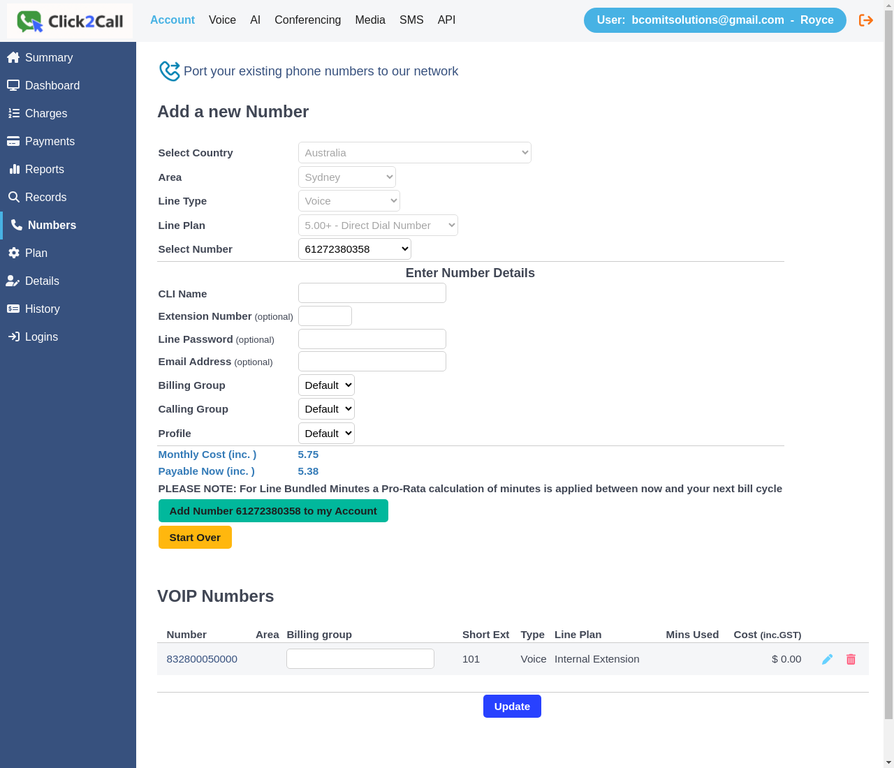
Number added successfully
A green confirmation message will appear: "Phone number 61272380358 has been successfully added to your account." Your new number is now active and ready to use.
View your number in Voice → Numbers
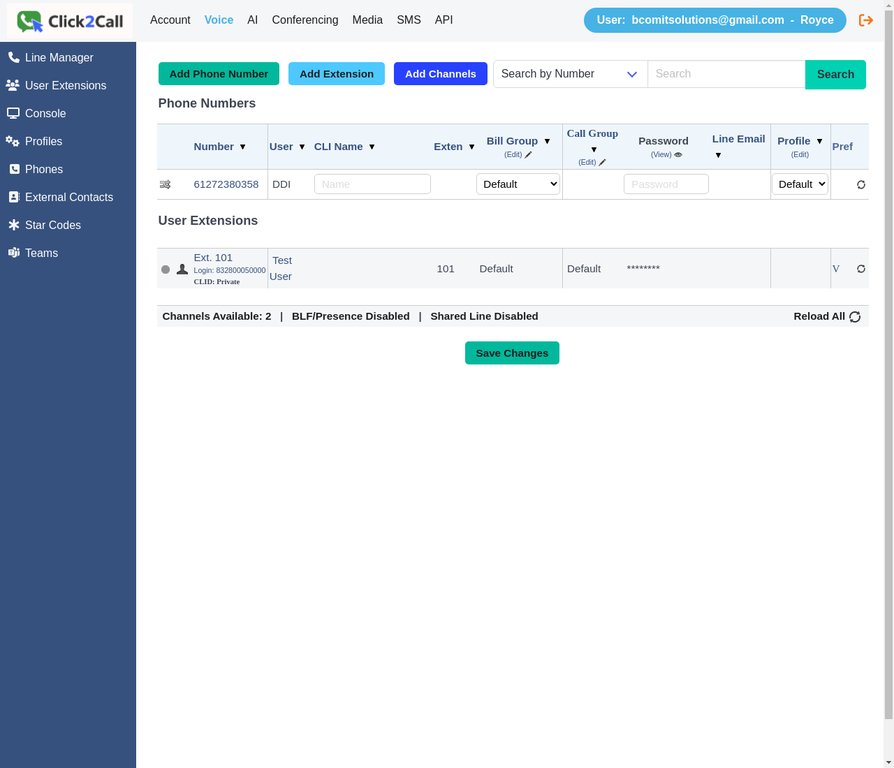
Navigate to Voice → Numbers to see your new phone number listed under Phone Numbers. From here you can assign it to a user, set a CLI name, configure a call flow, or add it to a ring group.
✓ Your number is ready to use
Your new Sydney number 02 7238 0358 is now active. Next steps you might want to take:
- Set up a call flow to route inbound calls to the right destination
- Create a ring group to ring multiple extensions simultaneously
- Add an extension and assign this number to a user
- Set up voicemail-to-email for this number