
Creating a Ring Group
A ring group allows a single incoming call to ring multiple extensions at the same time (simultaneous ring) or one after another (sequential ring). This is useful for teams like Sales or Support.
Select Your Line and Choose Simultaneous Ring
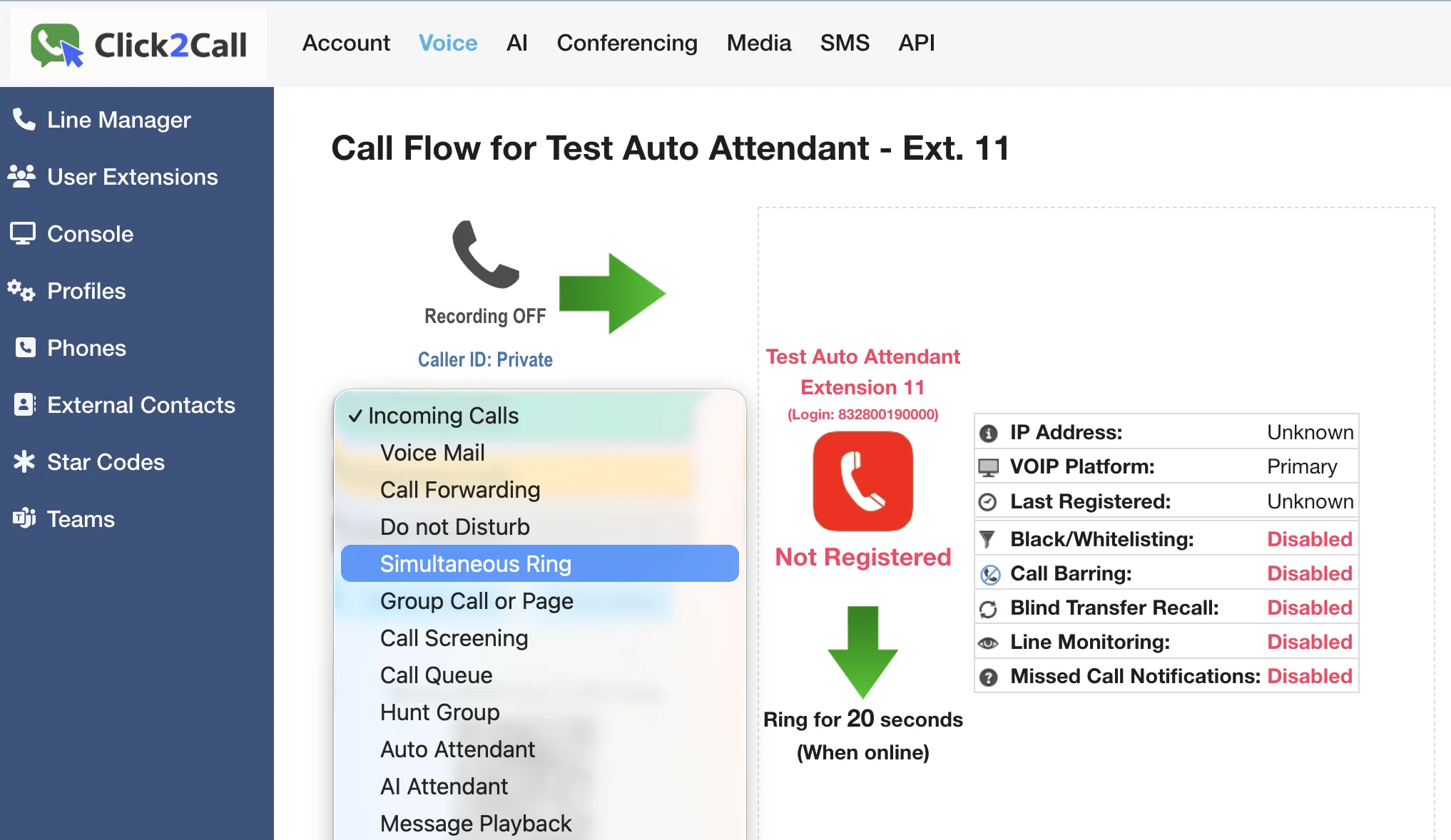
First, log in to the portal and navigate to the Voice tab. Select the extension or phone number you want to set up. From the Incoming Calls dropdown menu, choose Simultaneous Ring. This feature is also commonly known as a Ring Group.
Add Numbers and Configure Settings
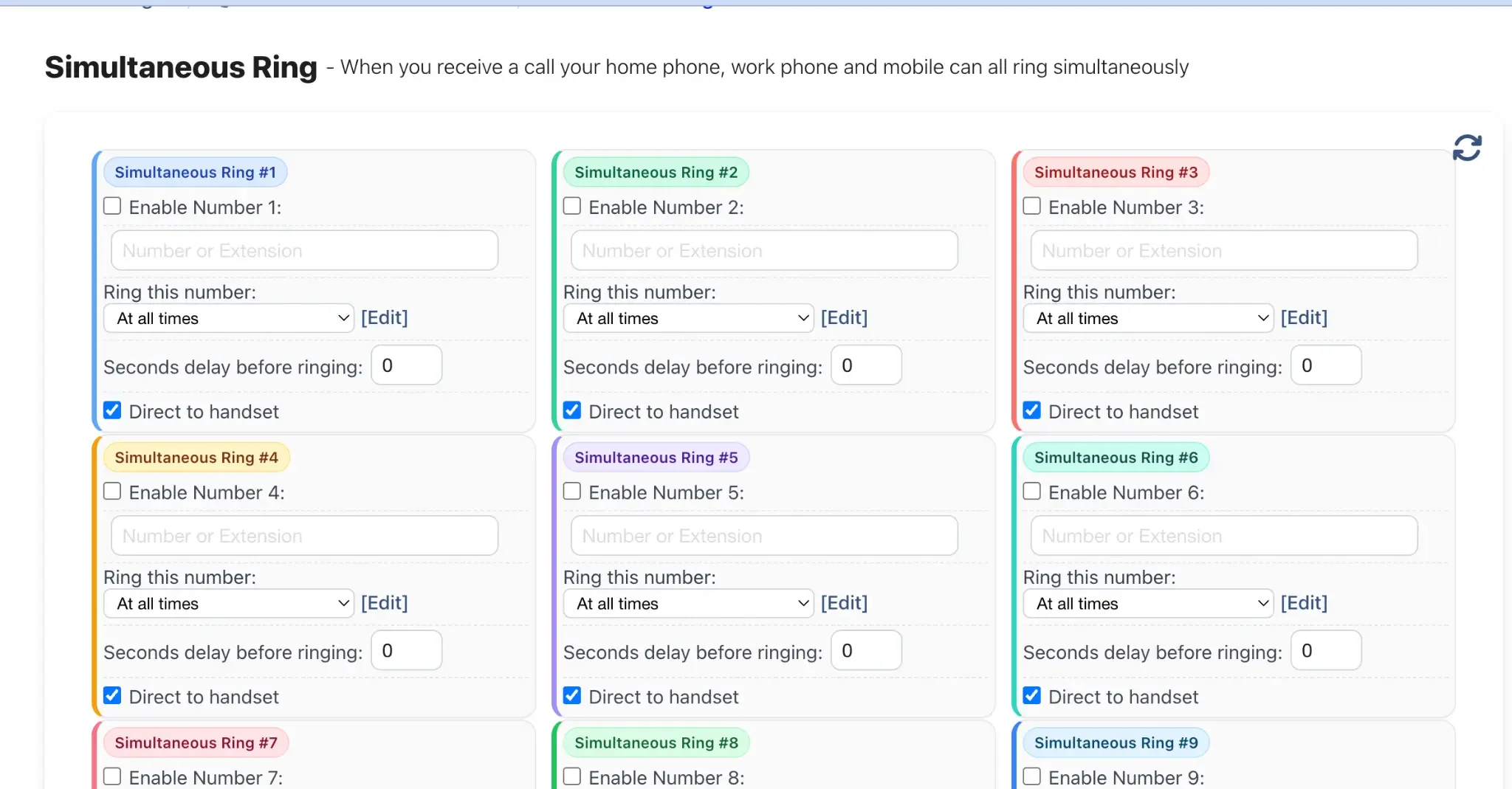
You can now configure up to 9 numbers to ring at the same time. For each number you want to add, follow these steps:
- Enable Number: Tick this checkbox to activate the slot.
- Number or Extension: Enter the internal extension or external phone number (e.g., a mobile number) you want to include in the group.
- Ring this number: Set a time schedule. For most ring groups, you will leave this as 'At all times'.
- Seconds delay before ringing: Enter a number of seconds to wait before this specific number starts ringing. A setting of '0' means it will ring instantly with all other numbers.
- Direct to handset: Keep this ticked. This ensures the call connects directly to the user's device. Un-ticking it would send the call to that user's personal voicemail if they don't answer, which is usually not desired in a group setup.
Save Your Settings
Once you have added all the desired numbers and configured their settings, scroll to the bottom of the page and click the Save Settings button.
Verify the Final Call Flow
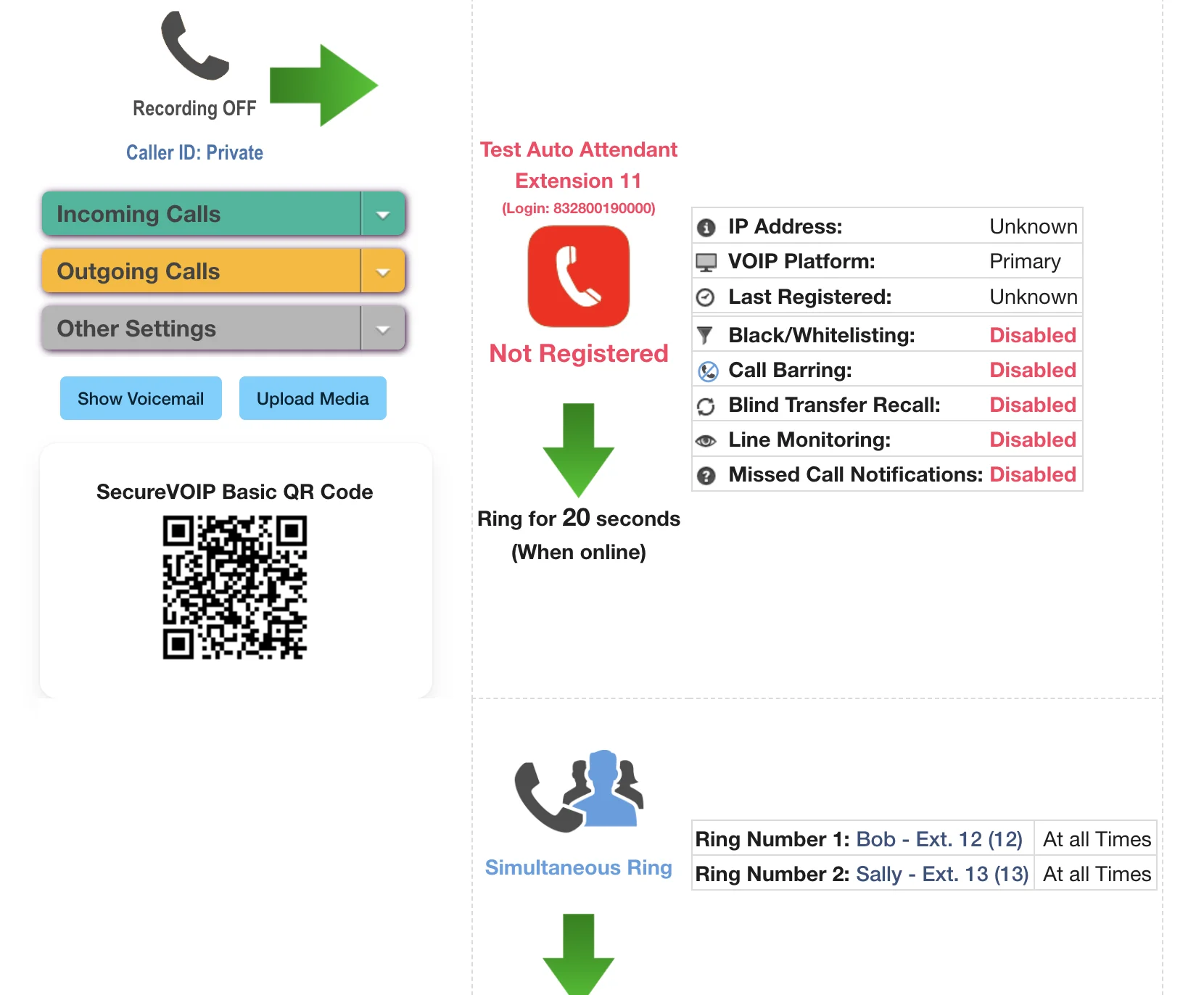
After saving, the call flow diagram for your line will update to show the new Simultaneous Ring configuration. You can see all the numbers that will ring at once. Finally, make a test call to the main number to ensure all configured phones ring as expected.
Related Guides
Still need help?
Our Australian support team is available to assist you.