
Porting an Existing Number
Number porting allows you to transfer your existing phone number from your current provider to Click2Call. Your number stays the same — only the carrier changes.
Important Information Before You Start:
- Cost: Porting a local number costs $50. Porting a 1300 or 1800 number costs $100.
- Timeframe: The process typically takes 5-10 business days, but can vary depending on your current provider.
- Required Document: You MUST supply a copy of your most recent phone bill for the number you wish to port. This is a legal requirement to prove ownership.
Navigate to the Number Porting Form
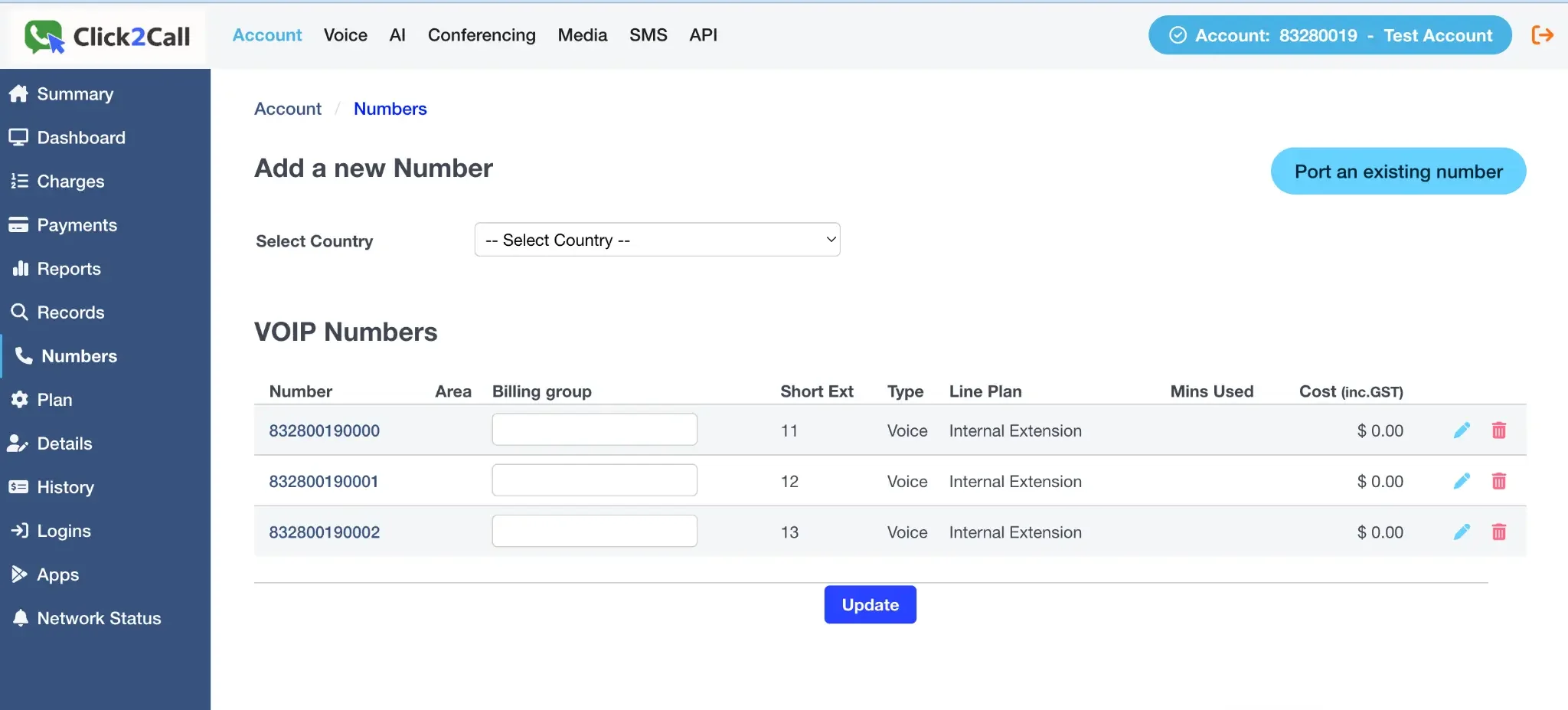
Log in to the portal, go to the Voice tab, and select Numbers from the left-hand menu. On the 'Add a new Number' page, click the Port an existing number button.
Submit Your Port Request Details
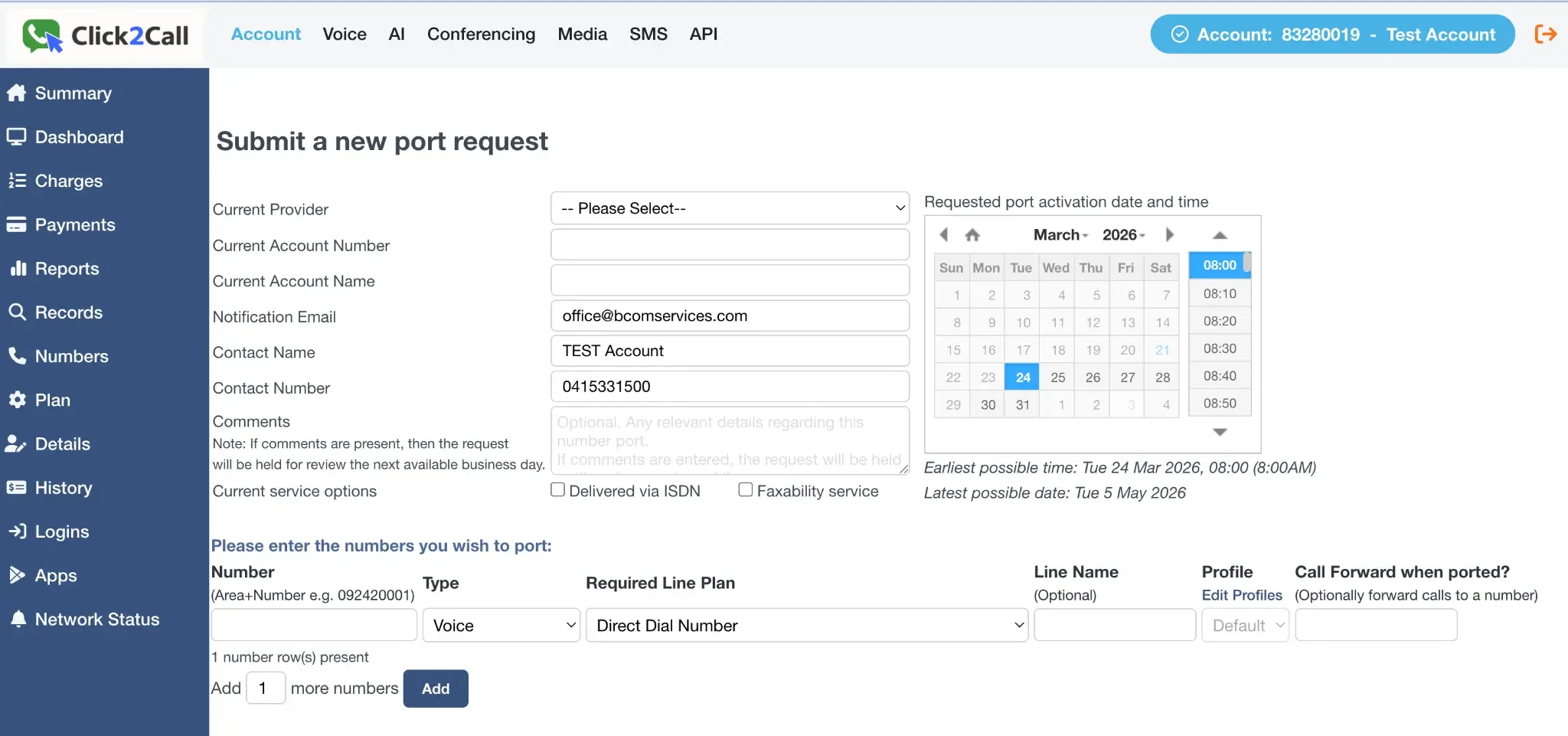
Fill out the form with your current provider's details, your account information, and the desired port activation date. It is critical that the details you enter here exactly match the details on the phone bill from your current provider.
Add the Numbers to Port
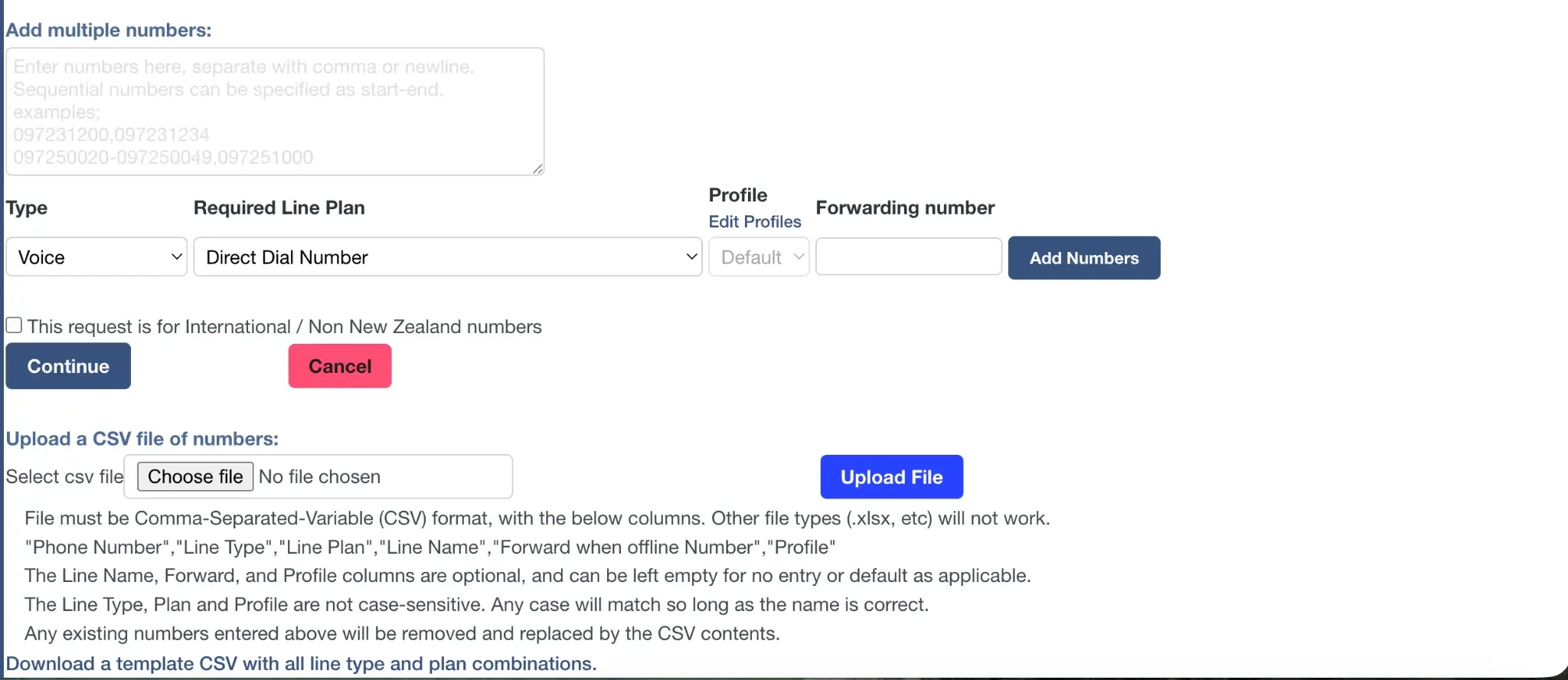
At the bottom of the form, enter the phone number(s) you wish to port. You can add multiple numbers one by one, enter a list of numbers, or upload a CSV file for bulk porting. Once you have added your numbers, click Continue to submit the request. Our team will then contact you to obtain a copy of your phone bill.
What happens after you submit?
- You will receive email notifications to keep you updated throughout the porting process.
- On the day of the port, your number will be pre-provisioned on your account. This gives you time to set up your call flow in advance, so the moment the number is ported it starts working immediately — with no downtime.
Still need help?
Our Australian support team is available to assist you.